Page is a draft due to changes in included resources
You are viewing an old version of this page. Return to the latest version.
Difference between revisions of "Manual:Extension/BlueSpiceAuthors"
| [unchecked revision] | [unchecked revision] |
(Tag: 2017 source edit) |
(Tag: 2017 source edit) |
What is Authors?[edit | edit source]
Authors extension displays all users who have contributed to the article.


Where to find Authors[edit | edit source]
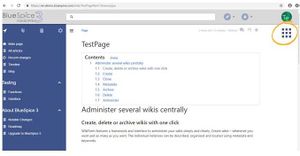
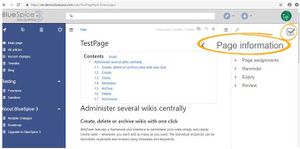
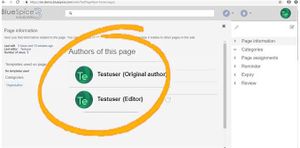
Authors of a page are located in the right navigation, in Page Information flyout.
Each user in the list of authors is displayed with the role it has, original author or an editor. Original author is the user who originaly created the article, while editor are all users that edited the page after its original creation.
See also[edit | edit source]
Our reference Reference page for this extension.
<bs:bookshelf src="Book:User manual" />


        __TOC__


        ==What is Authors?==


        ''' Authors '''extension displays all users who have contributed to the article.


        [[File:Authors1.jpg|thumb]]

        [[File:Authors2.jpg|thumb]]

        [[File:Authors3.jpg|thumb]]


        ==Where to find Authors==

        Authors of a page are located in the right navigation, in Page Information flyout.


        Each user in the list of authors is displayed with the role it has, original author or an editor. Original author is the user who originaly created the article, while editor are all users that edited the page after its original creation.


        ==See also==


        Our [[Authors|referenceReference page.]]]] for this extension.
| Line 19: | Line 19: | ||
==See also== | ==See also== | ||
| − | + | [[Authors|Reference page]] for this extension. | |