Difference between revisions of "Setup:Installation Guide/Upgrade"
| [quality revision] | [quality revision] |
(Tag: Visual edit) |
This document describes the update upgrade of BlueSpice from version 2.27.x to the current version BlueSpice 3.
Infos for patch updates and for switching from Bluespice free to pro are documented separately.
Contents
Notes[edit | edit source]
- Please, read this manual completely and work through the single installation steps one after another.
- For editing the configuration files with a text editor, the files must be saved in UTF-8 coding without BOM (Byte Order Mark).
-
The placeholder
<installpath-bluespice>stands for the path to your BlueSpice installation, e.gC:\inetpub\wwwroot\bluespice(Windows regarding the documentation "Folder structure under Windows") or/var/www/bluespice(Linux). -
The placeholder
<tomcat-webappsstands for the path to the webapps directory of your Tomcat server, e.gC:\Program Files\Apache Software Foundation\Tomcat 8.5\webapps(Windows) or/var/lib/tomcat8/webapps(Linux).
Approach[edit | edit source]
Make sure that your BlueSpice 2 version is up to date.
It is recommended to first create a complete new installation of BlueSpice 3 in parallel with BlueSpice 2 and then transfer the data to the new system.

|
First of all, make a complete backup of your installation. |
First of all, rename your current installation directory. For example, from /var/www/bluespice to /var/www/bluespice227.
Then, copy the new program files to the original installation location. Now you should have two directories, for example /var/www/bluespice227 with the program files of BlueSpice 2.27 and /var/www/bluespice with the program files of BlueSpice 3.
FirstNext, uploaded files and configuration files managed by BlueSpice must be transferred to the new installation. Just move the directories images/ and extensions/BlueSpiceFoundation/config from the old installation location to the new one.
Next, the main configuration file must be transferred and adapted. Copy the LocalSettings.php file from the old installation location to the new one.
Setup LocalSettings.php[edit | edit source]
Open the file <installpath-bluespice>/LocalSettings.php. Look for the following lines:
# End of automatically generated settings.
# Add more configuration options below.
Delete all following lines. If you have made additional configurations - apart from steps outlined in the old installation manual - under below these lines, please make sure to keep these additional configurations in each case.
Insert the following lines instead line at the end of LocalSettings.php:
require_once "$IP/LocalSettings.BlueSpice.php";
Close and save the file.
|
|
Starting with BlueSpice 2.27.1, all default settings as well as the individual modules of BlueSpice are stored. Thus BlueSpice is only integrated with this one line in MediaWiki. For technical information, visit the documentation for advanced users. |
Update Upgrading BlueSpice[edit | edit source]
|
|
Under Windows, make sure that the environment variables are set correctly to access the php command. |
|
|
Under Linux, please note that you have to adjust the file system permissions after running the update.php. |
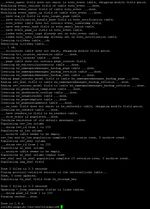

Open your command line or terminal an change to the directory <installpath-bluespice>. run Run the following command there:
                php maintenance/update.php (Linux)
php maintenance\update.php (Windows))
Check Checking the installation[edit | edit source]
Open <bluespice-url> in your browser. Your BlueSpice upgrade should now be successfully updated to version 3 and a login completed. Logging in with your access data should be possible.
{{DISPLAYTITLE:UpdateUpgrade to BlueSpice 3}}
__TOC__
This document describes the updateupgrade of BlueSpice from version 2.27.x to the current version BlueSpice 3.
Infos for [[Setup:Installation Guide/Patch Update|patch updates]] and for [[Setup:Installation Guide/Upgrade free to pro|switching from Bluespice free to pro]] are documented separately.
==Notes==
{{Setup-document-note}}
==Approach==
Make sure that your BlueSpice 2 version is up to date.
It is recommended to first create a complete new installation of BlueSpice 3 in parallel with BlueSpice 2 and then transfer the data to the new system.
[[File:{{Hint.jpg|left]] '''|text=First of all, make a complete backup of your installation.'''<br style="clear: left;" /><br />
}}
First of all, rename your current installation directory. For example, from <code>/var/www/bluespice</code> to <code>/var/www/bluespice227</code>.
Then, copy the new program files to the original installation location. Now you should have two directories, for example <code>/var/www/bluespice227</code> with the program files of BlueSpice 2.27 and <code>/var/www/bluespice</code> with the program files of BlueSpice 3.
FirstNext, uploaded files and configuration files managed by BlueSpice must be transferred to the new installation. Just move the directories <code>images/</code> and <code>extensions/BlueSpiceFoundation/config</code> from the old installation location to the new one.
Next, the main configuration file must be transferred and adapted. Copy the <code>LocalSettings.php</code> file from the old installation location to the new one.
==Setup LocalSettings.php==
Open the file <code><installpath-bluespice>/LocalSettings.php</code>. Look for the following lines:
# End of automatically generated settings.
# Add more configuration options below.
Delete all following lines.
If you have made additional configurations - apart from steps outlined in the old installation manual - underbelow these lines, please make sure to keep these additional configurations in each case.
Insert the following lines instead line at the end of LocalSettings.php:
require_once "$IP/LocalSettings.BlueSpice.php";
Close and save the file.<br /><br />
[[File:Hint.jpg|left]] '''
{{Hint|text=Starting with BlueSpice 2.27.1, all default settings as well as the individual modules of BlueSpice are stored. Thus BlueSpice is only integrated with this one line in MediaWiki. For technical information, visit the [[Setup:Installation ManualGuide/Advanced/Configuration Folder settings.d|documentation for advanced users]].'''<br style="clear: left;" /><br />
==Update BlueSpice==
[[File:Hint.jpg|left]] '''}}
==Upgrading BlueSpice==
{{Hint|text=Under Windows, make sure that the [[Setup:Installation_Manual/System_Configuration/Environment_ Guide/Services and system configuration/Environment Variables|environment variables]] are set correctly to access the php command.'''<br style="clear: left;" /><br /><br />
[[File:Hint.jpg|left]] '''}}
{{Hint|text=Under Linux, please note that you have to adjust the [[Setup:Installation ManualGuide/Security Settings/File System Permissions|file system permissions]] after running the update.php.'''<br style="clear: left;" /><br />}}
[[File:Setup:Setup bluespice maintenance update.jpg|thumb|209x209px]]
Open your command line or terminal an change to the directory <code><installpath-bluespice></code>. runRun the following command there:
php maintenance/update.php ''(Linux)''
php maintenance\update.php ''(Windows))''
==Check ''
==Checking the installation==
Open <code><bluespice-url></code> in your browser. Your BlueSpice upgrade should now be successfully updated to version 3 and a login completed. Logging in with your access data should be possible.
[[en:{{FULLPAGENAME}}]]
[[de:Setup:Installationsanleitung/Update]]| (10 intermediate revisions by 3 users not shown) | |||
| Line 1: | Line 1: | ||
| − | {{DISPLAYTITLE: | + | {{DISPLAYTITLE:Upgrade to BlueSpice 3}} |
| − | |||
| − | This document describes the | + | This document describes the upgrade of BlueSpice from version 2.27.x to the current version BlueSpice 3. |
| + | |||
| + | Infos for [[Setup:Installation Guide/Patch Update|patch updates]] and for [[Setup:Installation Guide/Upgrade free to pro|switching from Bluespice free to pro]] are documented separately. | ||
==Notes== | ==Notes== | ||
| Line 11: | Line 12: | ||
It is recommended to first create a complete new installation of BlueSpice 3 in parallel with BlueSpice 2 and then transfer the data to the new system. | It is recommended to first create a complete new installation of BlueSpice 3 in parallel with BlueSpice 2 and then transfer the data to the new system. | ||
| − | + | {{Hint|text=First of all, make a complete backup of your installation.}} | |
| − | |||
| − | |||
First of all, rename your current installation directory. For example, from <code>/var/www/bluespice</code> to <code>/var/www/bluespice227</code>. | First of all, rename your current installation directory. For example, from <code>/var/www/bluespice</code> to <code>/var/www/bluespice227</code>. | ||
| − | Then copy the new program files to the original installation location. Now you should have two directories, for example <code>/var/www/bluespice227</code> with the program files of BlueSpice 2.27 and <code>/var/www/bluespice</code> with the program files of BlueSpice 3. | + | Then, copy the new program files to the original installation location. Now you should have two directories, for example <code>/var/www/bluespice227</code> with the program files of BlueSpice 2.27 and <code>/var/www/bluespice</code> with the program files of BlueSpice 3. |
| − | + | Next, uploaded files and configuration files managed by BlueSpice must be transferred to the new installation. Just move the directories <code>images/</code> and <code>extensions/BlueSpiceFoundation/config</code> from the old installation location to the new one. | |
Next, the main configuration file must be transferred and adapted. Copy the <code>LocalSettings.php</code> file from the old installation location to the new one. | Next, the main configuration file must be transferred and adapted. Copy the <code>LocalSettings.php</code> file from the old installation location to the new one. | ||
| Line 29: | Line 28: | ||
Delete all following lines. | Delete all following lines. | ||
| − | If you have made additional configurations - apart from steps outlined in the old installation manual - | + | If you have made additional configurations - apart from steps outlined in the old installation manual - below these lines, make sure to keep these additional configurations. |
| − | Insert the following | + | Insert the following line at the end of LocalSettings.php: |
require_once "$IP/LocalSettings.BlueSpice.php"; | require_once "$IP/LocalSettings.BlueSpice.php"; | ||
| − | Close and save the file. | + | Close and save the file. |
| − | + | {{Hint|text=Starting with BlueSpice 2.27.1, all default settings as well as the individual modules of BlueSpice are stored. Thus BlueSpice is only integrated with this one line in MediaWiki. For technical information, visit the [[Setup:Installation Guide/Advanced/Configuration Folder settings.d|documentation for advanced users]].}} | |
| − | + | ==Upgrading BlueSpice== | |
| − | + | {{Hint|text=Under Windows, make sure that the [[Setup:Installation Guide/Services and system configuration/Environment Variables|environment variables]] are set correctly to access the php command.}} | |
| − | == | + | {{Hint|text=Under Linux, please note that you have to adjust the [[Setup:Installation Guide/Security Settings/File System Permissions|file system permissions]] after running the update.php.}} |
| − | + | [[File:Setup:Setup bluespice maintenance update.jpg|thumb|209x209px]] | |
| − | |||
| − | |||
| − | |||
| − | Open your command line or terminal an change to the directory <code><installpath-bluespice></code>. | + | Open your command line or terminal an change to the directory <code><installpath-bluespice></code>. Run the following command there: |
php maintenance/update.php ''(Linux)'' | php maintenance/update.php ''(Linux)'' | ||
| − | php maintenance\update.php ''(Windows | + | php maintenance\update.php ''(Windows)'' |
| − | == | + | ==Checking the installation== |
| − | Open <code><bluespice-url></code> in your browser. BlueSpice should now be | + | Open <code><bluespice-url></code> in your browser. Your BlueSpice upgrade should now be completed. Logging in with your access data should be possible. |
| − | [[en:{{FULLPAGENAME}}]][[de:Setup:Installationsanleitung/Update]] | + | [[en:{{FULLPAGENAME}}]] |
| + | [[de:Setup:Installationsanleitung/Update]] | ||